Open WebUI RAG Document Upload: From File to Answer
Follow an Open WebUI document from upload through extraction, embeddings and retrieval. Configure Knowledge, diagnose missing answers and measure indexing
A PDF upload succeeds, but the model still cannot find the paragraph you need. If you want open webui rag document upload explained, start here: the upload response can arrive while extraction and embedding are still running. File acceptance is only the beginning of the pipeline. Open WebUI’s API documentation makes that asynchronous boundary explicit.
Related: Open WebUI and Local Models: How the Pieces Fit Together.
What happens after document upload
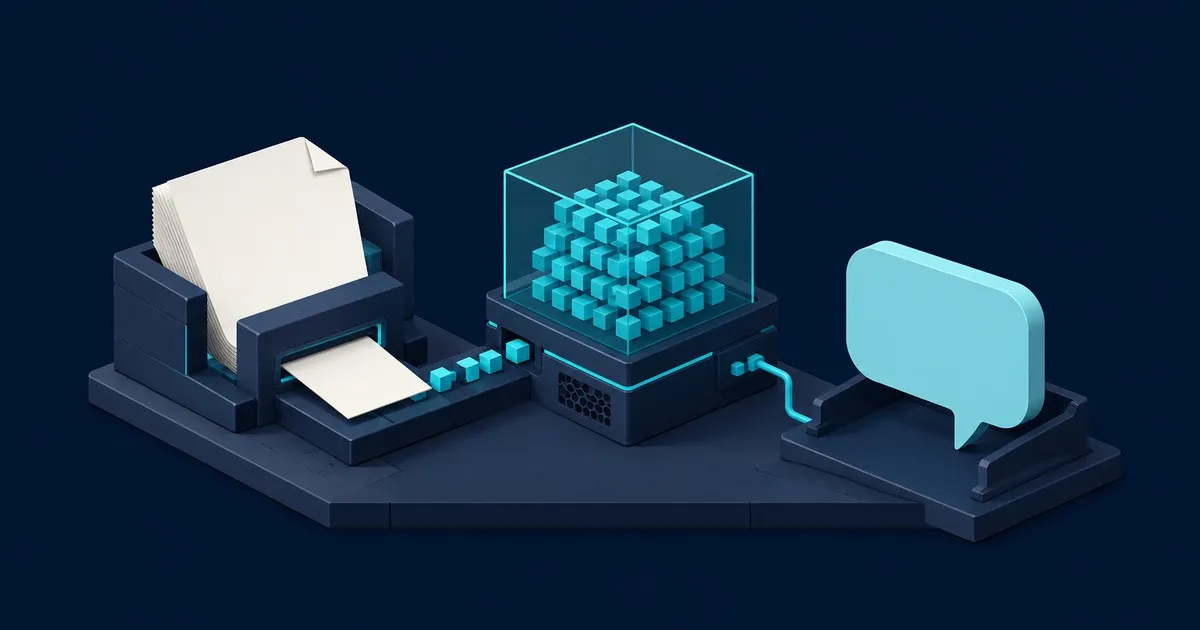
In a retrieval-augmented generation (RAG) workflow, Open WebUI extracts text, divides it into chunks, generates vectors with an embedding model, and stores them in a vector database. At question time, retrieval selects relevant passages for the chat model’s context. Uploading supplies reference material; it does not fine-tune the model’s weights. Open WebUI’s RAG essentials describe this sequence.
An Ollama chat model and an embedding model serve different jobs: generation and search representation. Check the embedding configuration separately from whether ordinary chat works. Open WebUI supports local embeddings and an Ollama embedding engine. Embedding setup
PDF, office-document and image handling depends on the extraction engine. A scanned page needs OCR to become searchable text. Inspect extracted text before adjusting retrieval: missing table headings or scrambled reading order cannot be repaired by choosing a larger chat model. Open WebUI documents extraction options including Tika and Docling. Document extraction
Upload a file or build reusable Knowledge
For an isolated question, drag the document into the chat input, wait for processing, then ask about a specific passage. Chat attachments are the simplest entry point. Attachment workflow
For reusable documents, follow the Knowledge setup:
- Open Workspace > Knowledge, select Create, and name the collection.
- Upload the documents and wait for processing to finish.
- Select the collection with
#in chat, or attach it under Workspace > Models > Edit. - Ask a question with a known answer and inspect the supporting passage.
Choose Focused Retrieval for questions over larger collections. Full Context sends the complete extracted document into context, bypassing semantic retrieval. It suits short reference documents, provided they fit alongside conversation history and the answer. These attachment modes are documented under Knowledge retrieval modes.
Attachment location also matters. In native function-calling mode, model-attached Knowledge depends on the model calling its knowledge tools. Chat attachments have separate File Context controls. Check Builtin Tools, the enabled knowledge tools and actual tool calls when a collection seems ignored. File Context versus Builtin Tools explains the distinction.
In Settings > Admin > Documents, review chunk size, chunk overlap and Top K. Chunk size uses characters or tokens according to the selected text splitter. Increasing Top K brings more passages into consideration; preserve room in the model’s context budget. Hybrid search adds BM25 keyword matching and reranking to vector retrieval. Compare changes against known questions before adopting them. RAG configuration
The metric that matters
For ingestion, measure upload-to-indexed latency:
upload_to_indexed_seconds = time_completed_status_observed - time_upload_started
This proposed client-side metric includes transfer and background processing. It beats upload-request latency because a quick HTTP response can precede a long indexing job. The documented completed state means file processing succeeded; attaching the file and verifying retrieval remain separate steps. Processing-status troubleshooting
Chart p50/p95/p99 across comparable document batches, with failures alongside them. Separately, keep a golden set of questions and expected passages. Measure recall@k as relevant passages found among the first k results divided by all labeled relevant passages. Recall measures evidence retrieval; reviewing the answer remains necessary. Recall definition
Wiring it up
Run this upload probe with requests and mlflow installed. Set OPEN_WEBUI_URL, OPEN_WEBUI_API_KEY, DOCUMENT_PATH and MLFLOW_TRACKING_URI. It creates a file and records elapsed processing time using MLflow’s tracking API. The timeout and polling values are example client settings, not Open WebUI limits.
import os
import time
import mlflow
import requests

base = os.environ["OPEN_WEBUI_URL"].rstrip("/")
headers = {"Authorization": f"Bearer {os.environ['OPEN_WEBUI_API_KEY']}"}
mlflow.set_tracking_uri(os.environ["MLFLOW_TRACKING_URI"])
mlflow.set_experiment("open-webui-ingestion")

with mlflow.start_run():
    started = time.monotonic()
    with open(os.environ["DOCUMENT_PATH"], "rb") as document:
        response = requests.post(
            f"{base}/api/v1/files/", headers=headers,
            files={"file": document}, timeout=60,
        )
    response.raise_for_status()
    file_id = response.json()["id"]
    deadline = time.monotonic() + 300
    while time.monotonic() < deadline:
        response = requests.get(
            f"{base}/api/v1/files/{file_id}/process/status",
            headers=headers, timeout=30,
        )
        response.raise_for_status()
        status = response.json()["status"]
        if status == "completed":
            mlflow.log_metric(
                "upload_to_indexed_seconds", time.monotonic() - started
            )
            break
        if status == "failed":
            raise RuntimeError("Document processing failed")
        time.sleep(2)
    else:
        raise TimeoutError("Document processing deadline exceeded")
For API-managed Knowledge, wait for completion before calling POST /api/v1/knowledge/{id}/file/add with {"file_id": file_id}. Uploading alone does not complete that association. Knowledge API workflow
Measure chat time-to-first-token (TTFT) separately: this probe stops before generation and does not submit a retrieval query.
What you’ll see
A healthy chart has a repeatable latency distribution for the same document mix, successful processing, and stable golden-set retrieval. Treat the following as diagnostic hypotheses, not measured results:
| Pattern | Next check |
|---|---|
| Upload response stays fast; indexing p99 rises | Embedding contention, batch size and processing failures |
| Indexing completes; scanned documents miss evidence | OCR output and extracted text |
| Recall drops after replacing the embedding model | Reindex the corpus with the new model |
| Relevant passages arrive; answers still fail | Context budget and answer-generation behavior |
Open WebUI’s RAG troubleshooting guide covers these failure boundaries, including GPU OOM during embedding and reindexing after embedding changes. For ongoing monitoring, SentryML’s observability coverage is relevant follow-on reading.
Caveats
Document mix can create false alarms: compare scanned PDFs separately from plain text. Polling adds requests and delays observation of completion. Failed uploads produce no success-latency sample in this probe, so track failed runs separately. If exporting to Prometheus, exclude document IDs and filenames from metric labels to avoid cardinality blowup. Instrumentation guidance
Keep expected answers outside the indexed corpus to avoid evaluation label leakage. Version the golden set and remap passage labels when chunk boundaries change. Check where extraction, embedding and generation execute before uploading sensitive documents; a locally hosted interface does not establish the entire data path.
Retrieved documents can contain prompt injection. Treat their text as untrusted evidence and enforce access and tool permissions outside the model. OWASP’s prevention guidance covers indirect injection; GuardML’s defensive engineering coverage provides related reading.
Sources
- Open WebUI: API Endpoints
- Open WebUI: Essentials
- Open WebUI: Document Extraction
- Open WebUI: Knowledge
- Open WebUI: Retrieval Augmented Generation
- MLflow: Tracking APIs
- Introduction to Information Retrieval: Evaluation of Unranked Retrieval Sets
- Open WebUI: RAG Troubleshooting
- Prometheus: Instrumentation
- OWASP: LLM Prompt Injection Prevention Cheat Sheet
Related

Open WebUI and Local Models: How the Pieces Fit Together
What Open WebUI actually does, how it connects to a local model backend, and how retrieval, embeddings and context limits interact in practice.

How to Update Open WebUI Container: Docker Guide
How to update the Open WebUI container without losing chats: back up the volume, pull, recreate, pin a version tag, and roll back when a release breaks.

Open WebUI vs LibreChat: Which to Self-Host
A documentation-level comparison of Open WebUI and LibreChat: install footprint, configuration model, model connections, retrieval and licensing terms.